
 ca. 30 Minuten
 nach Wunsch auch mit Videocall
Want to know which products lost you money last week? In the past, that meant building a report, opening Excel, setting filters, and hoping the numbers were right.
The minubo Co-Analyst works differently. It's like a personal e-commerce analyst for every person on your team. Ask how your category is performing, which top sellers will need new stock soon, or which products you should promote in your next campaign. You can get started without building reports, working through spreadsheets, or relying on the BI department for every question.
In this article, we show you what the Co-Analyst can do:
- How to use it in minubo or in Claude & Co
- How to get answers directly from your data with “Ask Anything”
- Which Playbooks are available for typical analyses
- How the Prompt Coach helps you write your own prompts
- Which output formats you can get
- How the Data Model Expert helps you with metrics
Using the Co-Analyst in minubo or in Claude & Co
Use the Co-Analyst wherever you're already working: directly in minubo or in LLM assistants such as Claude, ChatGPT, or similar tools.
In minubo
The Co-Analyst is accessible directly from within minubo.
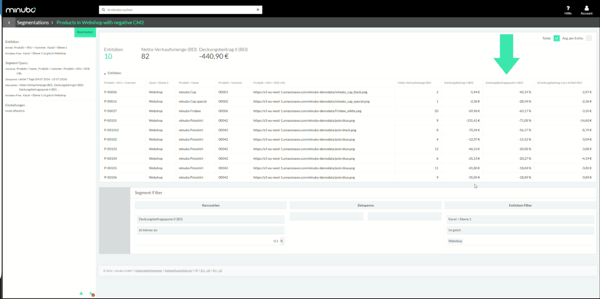
Data security in the Co-Analyst in minubo: We use a routing system that only connects to LLM providers with Zero Data Retention (ZDR) and EU hosting. Conversation content is not used to train models or for any other purpose and is deleted after the request.
In the LLM of your choice
With the Co-Analyst in Claude & Co, you connect the Co-Analyst to your assistant as a connector. Then you ask your questions directly there.
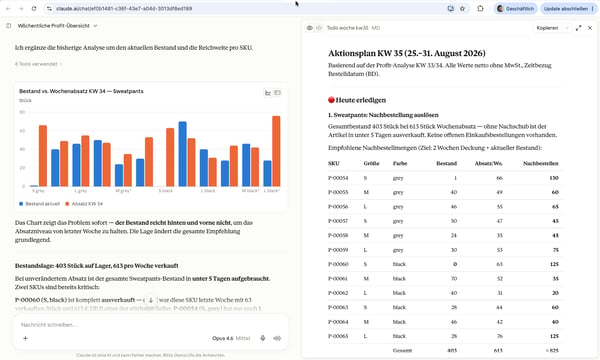
Data security in the Co-Analyst in Claude & Co: You choose the model and provider yourself. minubo has no influence over this. We recommend ZDR providers with EU processing, business or enterprise accounts that exclude training on your data, and an up-to-date, capable model for reliable analyses.
Personal data: The datasets provided to the AI do not contain personal data in plain text. Users can still enter sensitive information in free text or attachments. Make sure your team does not send personal, confidential, or sensitive data in prompts.
Ask Anything: Data Insights Made Easier
Let's look at the first use case in practice. With “Ask Anything,” you ask the Co-Analyst a question and get an answer. Questions can be as everyday as:
- How many orders did we have on Otto yesterday?
- Show me last week's revenue trend across our 5 highest-revenue brands.
- Which SKUs am I losing money on on Amazon?
- Which customer segments can I allocate more marketing budget to?
- Which 3 product categories had the highest return rates in the last completed month?
- Give me an overview of my profit performance over the last 30 days: contribution margin 1 broken down by sales channel.
Through conversation, you explore everything you need to know for your work. The Co-Analyst answers even complex questions in a few minutes.
Our video will give you a first impression of it:
Playbooks: Ready-Made Frameworks for Complex Analyses
With the Co-Analyst, you talk directly to your data. But for complex analyses that also need to be reproducible, you often need detailed prompts to explain your goal to the AI.
Playbooks are part of the tool portfolio and provide a shortcut. Ready-made analysis prompts for important e-commerce questions are available whenever you need them. At the touch of a button, you can get a campaign evaluation, a top/flop analysis, or a forecast, for example.
The Co-Analyst asks follow-up questions to incorporate your business knowledge. You can then steer the result however you like in the chat.
Business Forecast
The Co-Analyst builds your forecast through conversation. It checks for outliers and breaks in trends and transparently factors in your assumptions. This lets you work toward your forecast step by step.
More information about the Playbook can be found here.
Campaign Evaluation
Ask a simple question about your campaign. The Co-Analyst evaluates its performance, compares it against reference values of your choice, and highlights opportunities and risks. The result is concrete recommendations for action.
More information about the Playbook can be found here.
Prompt Coach: Your Sparring Partner for Custom Prompts
Want to write a prompt for a complex analysis yourself or build a template you can reuse? Another tool in the Co-Analyst portfolio can help: the Prompt Coach.
It knows the fundamentals of effective analysis prompting and can help you think through complex topics in conversation. In minubo, switch to “Prompt Coach” mode with a click. In Claude & Co, start it through the chat.
Output Formats: From HTML Reports to Excel Files
PDF, HTML report, Excel spreadsheet, or a simple answer in the chat: the Co-Analyst provides answers, reports, charts, and tables in the format you need. Just say which format you want in the chat. You can also ask the Co-Analyst to recommend a format.
- HTML: Open your HTML report in a browser like a website. Unlike a PDF, it can include interactive elements such as expandable details or hover effects in charts. LLMs are also much better at generating HTML than PDFs. That's why Playbooks use HTML reports by default.
- PDF: Suitable for traditional reporting to stakeholders. If your main goal is to present numbers clearly, we recommend HTML, where the risk of layout errors is lower.
- Excel / Google Sheets: Want to analyze the data further outside the chat? Get it as an Excel file or in a similar format.
- CSV, JSON & Co: If your data needs to be used in other systems, the Co-Analyst adapts the format. JSON and CSV files are common options.
Tip: In Claude & Co, you can store your corporate identity information as a Skill. The Co-Analyst can then create reports in your company's look and feel.
Your Data Model Expert
Not sure whether Revenue (BD) or Revenue (FD) is right for your question? Can't remember whether discounted merchandise value includes price reductions? Or what the difference is between gross profit and contribution margin?
The Co-Analyst knows the minubo data model well. This knowledge is one of its strengths. Ask questions about metrics, attributes, and relationships. You can also discuss which metrics are right for your analysis.
Conclusion: Ask Your First Question
The Co-Analyst makes data insights accessible to everyone on your team. You no longer have to wait for the perfect report. Ask your first question and find out what your data can tell you.

Frequently Asked Questions About the minubo Co-Analyst
What is the minubo Co-Analyst?
The minubo Co-Analyst is an AI analyst for e-commerce. Ask questions in everyday language and get answers with numbers, tables, and charts.
Do I need to upload or download data?
No. The Co-Analyst accesses your data directly via MCP. You start the analysis in the chat.
What output formats are available?
You can receive answers in the chat, HTML reports, PDFs, Excel files, and CSV or JSON files.